Purchase Management
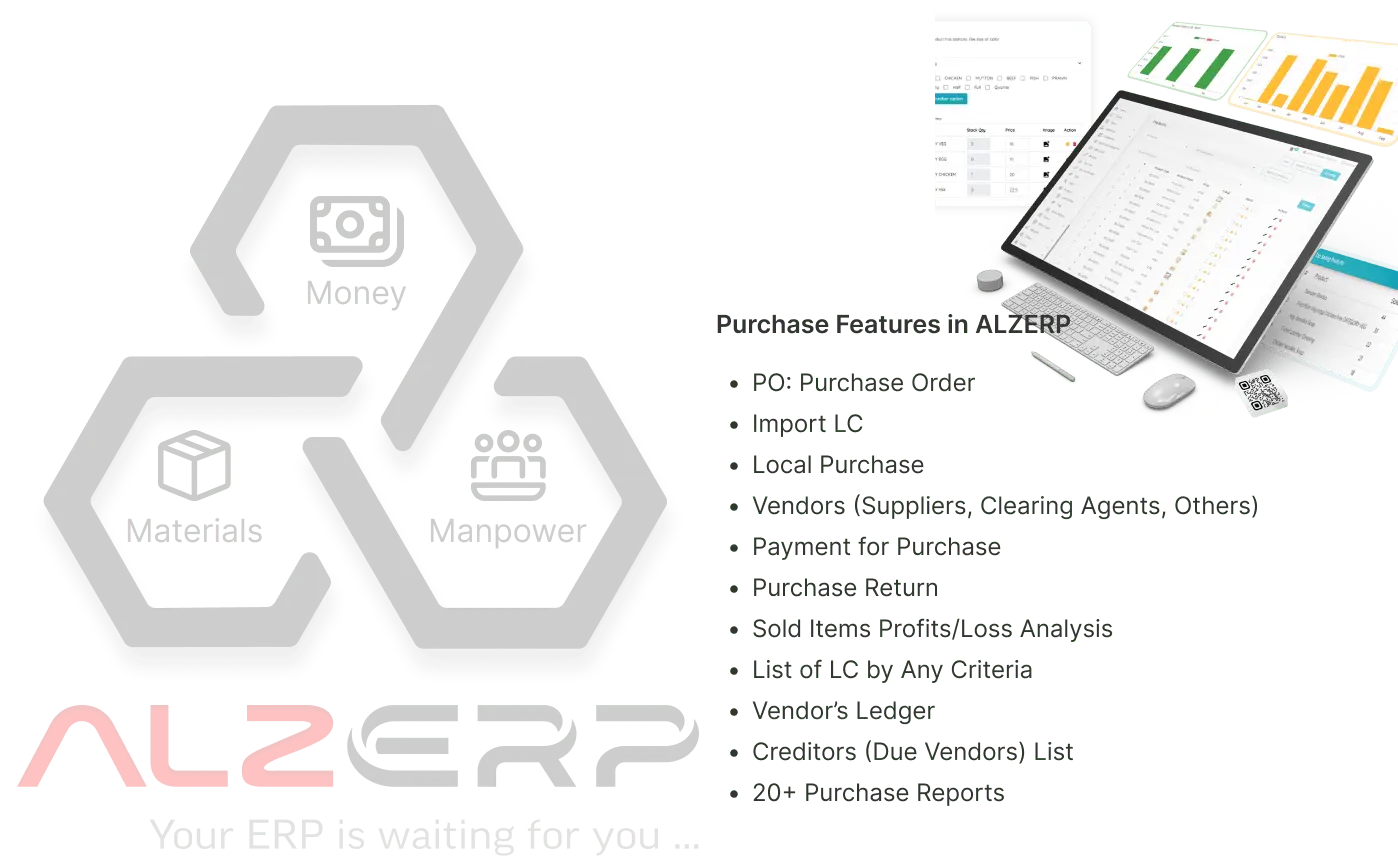
Optimize your procurement processes with ALZERP Cloud ERP's Import LC & Local Purchase Management module. Manage suppliers, automate purchase order creation, and gain enhanced inventory control with a unified platform for end-to-end procurement operations.
Supplier Management
ALZERP maintains a comprehensive database of all suppliers, including contact details, product catalogs, payment terms, and performance records. It enables evaluation and ranking of suppliers based on pricing, delivery times, and product quality.
- Centralized supplier database & contacts
- Performance evaluation & ranking system
- Linked supplier product catalogs
- Integrated payment term management
Purchase Order (PO) Management
Facilitate automated generation, tracking, and management of purchase orders with minimal manual intervention. Customize POs based on supplier terms, payment conditions, and delivery schedules with real-time status alerts.
- Automated PO generation & tracking
- Customizable templates for branding
- Real-time status alerts & notifications
- Multi-channel PO export (PDF, WhatsApp)
Request for Quotation (RFQ)
Automate the RFQ process to request quotes from multiple suppliers simultaneously. Compare quotations based on price, delivery timelines, and vendor reliability to streamline supplier selection for your business.
- Automated RFQ distribution
- Vendor quotation comparison tools
- Price & reliability ranking
- Faster procurement cycle times
Inventory Integration
Directly connect with inventory modules to assess stock levels, providing automated reorder points and notifications. Prevent stockouts or excess inventory by linking procurement to actual demand and sales forecasts.
- Automated reorder point notifications
- Demand-based replenishment triggers
- Real-time warehouse stock sync
- Avoid capital lock-up in dead stock
Approval Workflow
Configurable multi-level approval workflows ensure all purchase requests undergo necessary authorizations before confirmation. Role-based access ensures only authorized personnel can approve or modify transactions.
- Multi-level authorization hierarchy
- Role-based access control (RBAC)
- Detailed approval audit trails
- Mobile approval notifications
Budget Control
Track and manage purchasing activities within the scope of approved budgets. ALZERP provides alerts for potential budget overruns and facilitates detailed budget reporting for comprehensive cost analysis.
- Real-time budget vs. spend tracking
- Automated budget overrun alerts
- Departmental expense allocation
- Fiscal responsibility & control
Integration with Accounts Payable
Automate invoice matching to purchase orders and delivery receipts to simplify the payment process. Minimize payment discrepancies and ensure accurate, timely settlements with all your global suppliers.
- Automatic invoice-to-PO matching
- Reduce payment discrepancies
- Streamlined financial settlement
- Vendor ledger auto-reconciliation
Analytics and Reporting
Gain in-depth insights into purchasing trends, supplier performance, and cost management. Customizable dashboards provide real-time data on key procurement metrics, aiding strategic decision-making for growth.
- Supplier performance scorecards
- Procurement ROI & spending analytics
- Customizable reporting dashboards
- Strategic sourcing trend insights
Vendor Ledger
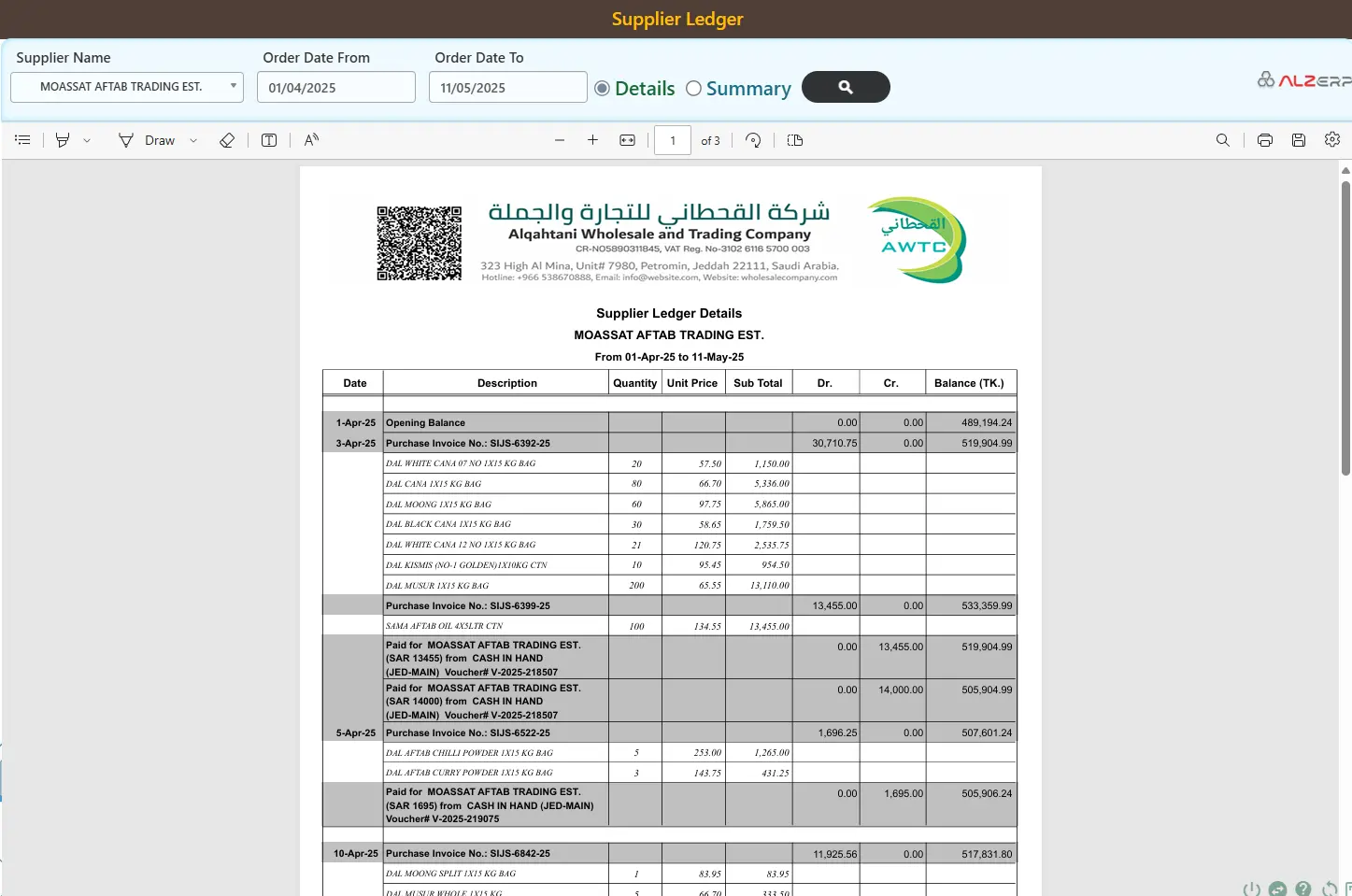
The Supplier/Vendor Ledger Summary and Ledger Details features in ALZERP are used to manage and track financial transactions with suppliers or vendors. The Ledger Summary provides a high-level overview of supplier transactions within a date range, showing closing balance, net debit/credit totals, opening balance, and total payments made. The Ledger Details displays transaction-level records for granular tracking, including date, description, debit/credit amounts, and running balance after each transaction.
- Ledger Summary: closing balance, net debit/credit, opening balance & total payments
- Ledger Details: date, description, Dr./Cr. amounts & running balance per transaction
- Automated real-time balance calculations with date filtering
- Export & print reports for accounting or supplier reconciliation
- Quickly verify payment history without drilling into details
- Audit individual payments and detect discrepancies
Payable to Vendors (Creditors)
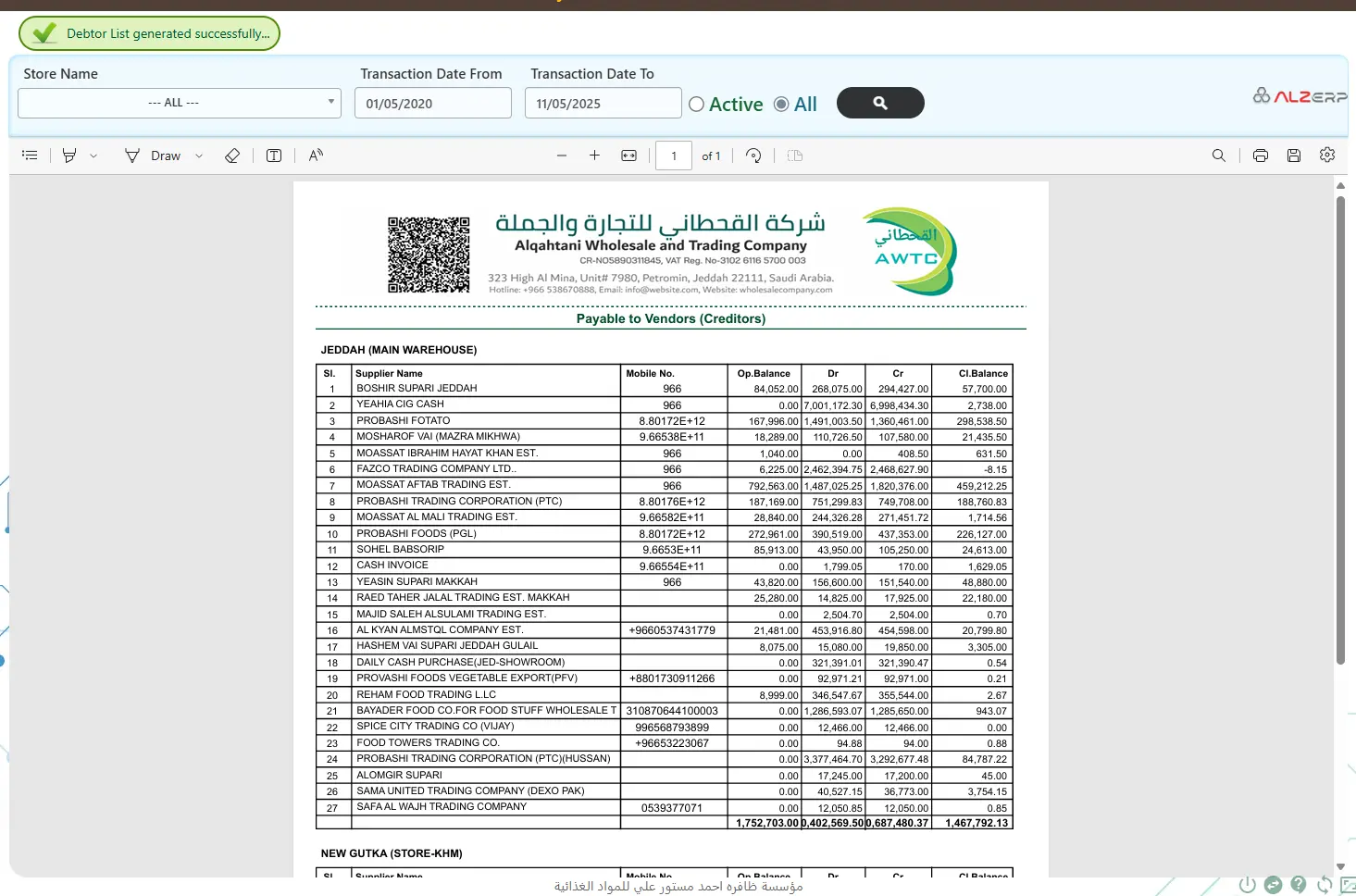
The Payable to Vendors (Creditors) report in ALZERP helps your business track and manage outstanding payments owed to suppliers or vendors — who you need to pay, how much, and when. This is essential for managing cash flow, keeping vendor relationships healthy, and avoiding late fees or supply disruptions. The report includes serial number, supplier name, mobile number, opening balance, debit (payments/returns), credit (purchases/expenses), and closing balance.
- Track vendor payments in real-time: see who you owe and how much is due
- Maintain vendor relationships: avoid late payments and strengthen trust
- Filter & analyze by date range, store, or location
- Audit-friendly: full transparency for accountants and auditors
- Centralized data: no more Excel juggling, everything in one click
- Opening/closing balance with debit & credit breakdown per vendor
Let's start using ALZ ERP
Everyone using the internet is already experiencing the advantages of cloud-based solutions, from email to social media. Using cloud ERP software isn't just a trend; it's a fundamental shift in how businesses should operate.