
AI-Native ERP vs ERP With AI Add-On: How to Tell
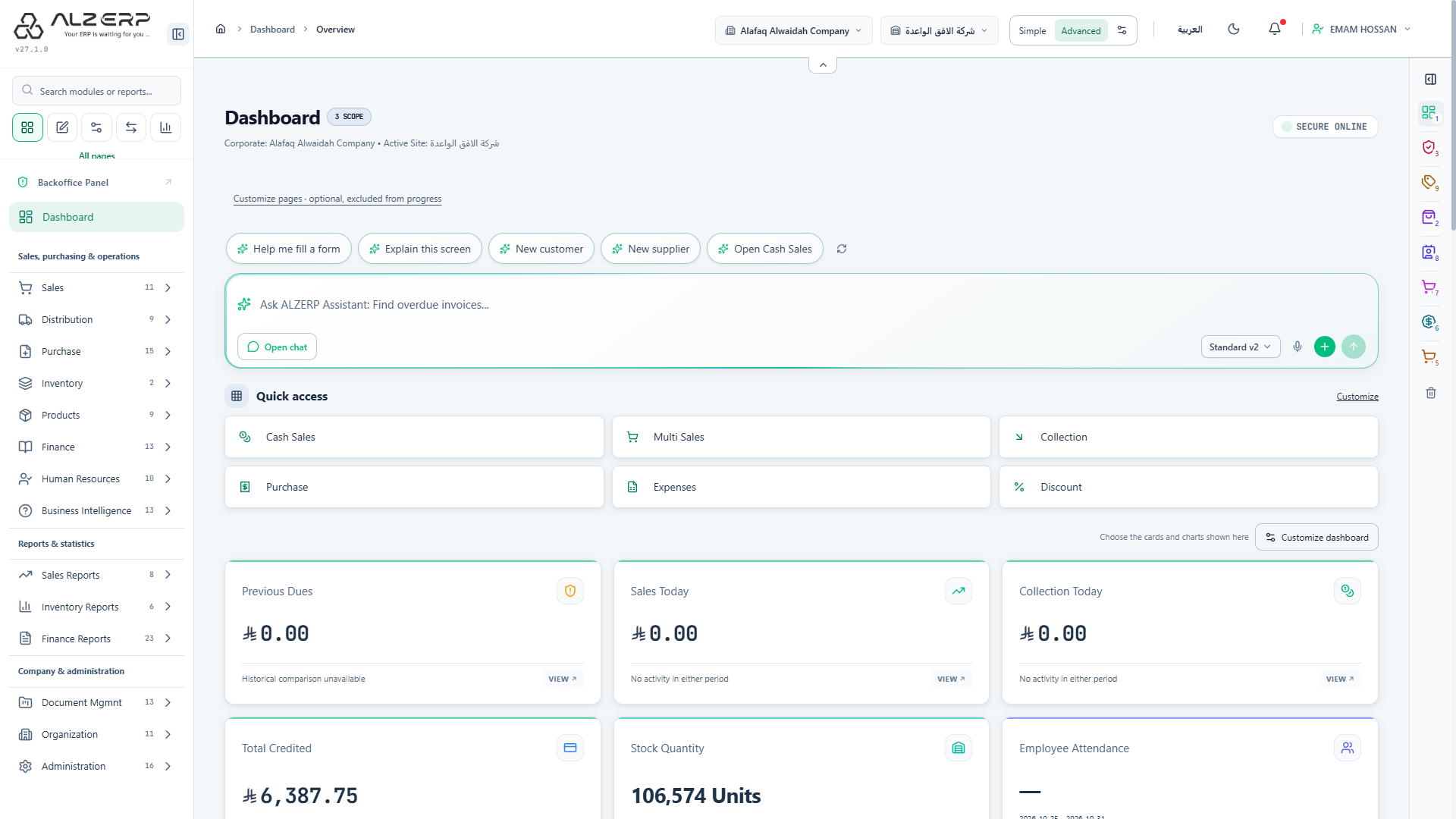
Many vendors now say "AI-native ERP", and many older systems have added a chat box and call it AI. The two are built very differently, and the difference decides how safe, accurate and useful the AI will be in your company. This guide explains both designs in plain words, gives you eight checks to separate them, and ends with a five-request test you can run in any demo. See how the AI ERP in Alwajeez ERP is built.
What is an AI-native ERP?
An AI-native ERP is designed from the start so that the AI works through the ERP's own functions. When you ask for a report, it calls the same report that your accountant opens. When you ask for an invoice, it prepares the same form that your sales team fills. The AI is a new way to use the system, not a separate tool beside it.
There is no single official definition of the term, so treat it as a design claim that the vendor must show, not a label to trust.
What is an ERP with an AI add-on?
An add-on is an AI layer attached to an existing ERP, often from another vendor. It may read exported data, copy numbers into its own store, or connect through an API. Some add-ons are useful. The risk is that they sit outside the ERP's rules, so they can show different numbers, ignore user permissions or create records that the ERP would have refused.
The two designs side by side
| Question | AI built into the ERP | AI add-on |
|---|---|---|
| Where do the numbers come from? | The ERP's own reports and calculations | Often a copy of the data, which can be out of date |
| Who can see what? | The same page and action permissions as the signed-in user | Depends on the connector, sometimes one shared account |
| What happens on save? | The normal numbering, stock, VAT and accounting rules run | May write through an API that skips some rules |
| Who confirms? | A person, on a review card, before anything is saved | Varies by product |
| Which AI model? | Can be the company's own choice | Usually one fixed model |
8 checks that separate the two
- Permissions. Sign in as a junior user and ask for the owner's profit report. A well-built AI must refuse.
- Source of numbers. Ask for a total, then open the regular report. Both must match to the last digit.
- Approval step. Ask the AI to create an invoice. It should show a draft for you to confirm, not save silently.
- Accounting rules. After saving, check that the document number, stock movement, VAT and ZATCA status follow the normal rules.
- Language. Ask in Arabic dialect and in English. Check that the answer follows your language and does not turn into a translation.
- Model choice. Ask which AI models you can use and whether you can bring your own key. Avoid a lock-in you cannot leave.
- Privacy. Ask what is sent to the AI provider, what is stored, and for how long. Ask about voice and uploaded files too.
- Honesty about limits. A trustworthy vendor can tell you what the AI cannot do. Be careful with "100% accurate".
The 5-request demo test
Ask the vendor to run these live, in your own language, on a demo company.
- "How much did we sell since the start of the month?" and then open the source report to compare.
- "Show me the customers who owe us the most."
- "Prepare a sales invoice for this customer with these two items." It should stop at a review card.
- Upload a small Excel or CSV file of products and see what is added and what is skipped before saving.
- Switch to a user with limited permissions and repeat request 1.
If all five work and the numbers match the regular screens, the AI is connected properly to the ERP.
How Alwajeez ERP approaches it
The assistant in Alwajeez ERP works through about 30 fixed, tested tools: open a page, read one of 47 reports, search records and prepare a draft. Each tool checks the user's page and action permissions, company and branch. Sales and purchase invoices, customers and suppliers go to a review card that expires after 10 minutes and cannot be used twice, and the record is saved only after you confirm. Saved invoices follow the same numbering, stock, VAT, ZATCA and posting rules as invoices from the regular screens.
The company chooses the AI model. A branch admin can connect its own key from OpenAI, Anthropic Claude, Google AI Studio (Gemini), Groq, NVIDIA NIM, OpenRouter, DeepSeek or Mistral AI, or any compatible service, or use the built-in assistant. We do not claim perfect accuracy: the answer quality depends on the model, so review important results.
Frequently asked questions
Is an AI-native ERP always better than an add-on?
Not always. A well-connected add-on can do a good job. What matters is whether the AI follows the ERP's permissions and rules and asks for your confirmation. Run the tests above and judge for yourself.
Does "AI-native" mean the ERP runs its own AI model?
No. It describes how the AI is connected to the ERP, not who owns the model. Many ERP assistants use models from outside providers.
Can I switch AI models later?
It depends on the product. Ask before you buy. In Alwajeez ERP a branch admin can change the provider key at any time.
Can I try it before paying?
Yes. You can start a 15-day trial with no credit card.
Want to see the five-request test on a live company? Start the 15-day trial, learn more about the AI ERP, or book a demo on WhatsApp.